5 Tips Every Traveler Should Know About Internet Security

03/31/08  Print This Post Print This Post    6 Comments   Popular   Written by David DeFranza
  • Stumble It
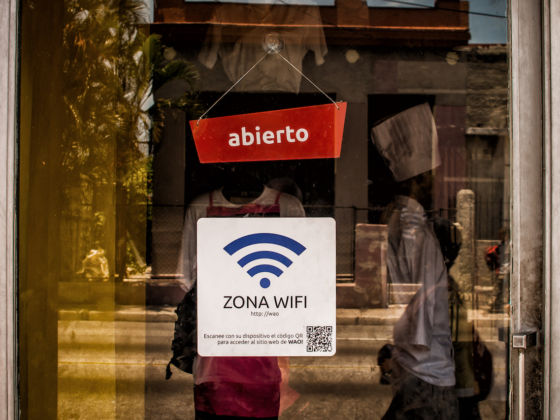
Internet cafes can be dangerous places. Here’s how to keep your information safe.

Photo by Mark Shandro

Whether sending email, uploading photos, booking flights and hotels, paying the bills back home, and checking the status of a bank account, travelers use the internet for a huge variety of tasks.

The ubiquity of internet cafes around the world has made this convenience possible.

Sitting down at an internet cafe has become so common in the life of travelers that few stop to consider the security of these very public computers.

But if we do stop to think about it, internet cafe computers (and any information you send or access from them) are clearly vulnerable. Fortunately, protecting yourself is not very difficult.

Here are some things you can do to keep your data safe:

1. Get Portable Firefox

The first step to securing your internet connection, is securing your browser. The best way to do this is to install Portable Firefox on a USB thumb drive.

When you sit down at the computer, plug in the thumb drive and start your own version of Firefox from there. As you will see, this small piece of gear is really a necessity for any traveler planning to use public computers.

2. Connect Securely

To ensure your online safety, it is imperative that you use a secure connection when accessing sensitive sites.

Once you have your own version of Firefox up and running on the cafe’s computer, it is time to connect to the internet. To ensure your online safety, it is imperative that you use a secure connection when accessing sensitive sites.

In most cases, when Firefox makes a secure connection a closed padlock appears in the right hand side of the address bar.

If you don’t see this icon, try retyping the address using “https” instead of “http.” In this case “s” means that you are using a special, secure, encrypted connection to the site.

If you always forget to include the “s” try bookmarking the secure site and using that link instead of typing in an address. If you are using a USB drive with your own Firefox browser, these bookmarks will be available anywhere you go.

Alternately, try using this special script with Firefox, which automatically inserts the “s” into preselected site addresses.

3. Confuse the Keyloggers

Once you have established a secure connection, it is time to log in. Thanks to the use of “https” it is significantly more difficult, if not impossible, for people ‘looking in’ on the connection from other computers to steal your data.

Photo by KingJeng.net

That said, the secure connection does not prevent a program on the computer you are using from recording everything you type. These programs, called “keyloggers” are especially dangerous when typing things like login names, passwords, and passport and credit card numbers.

Fortunately, there are a few things you can do.

First, by using bookmarks saved in your portable Firefox browser to connect to sensitive sites, instead of manually typing in the addresses, you eliminate the common method keyloggers use to index data. This makes it much more difficult to assign, for example, a password with a specific email site.

A simple trick that will fool most keyloggers is to disguise your password in a sea of “dummy characters.”

To do this click the password box and type the first character of your password. Next click anywhere else on the page to deselect the password box, and type some random characters before reselecting the password box and entering the second character.

Repeat this process for each character of your password.

This works because most keylogging programs cannot distinguish random typing from typing in a specific field on a web page. For a more complete explanation of this technique, read the short PDF report of a study testing it conducted by Microsoft, and this discussion that followed.

If you frequent some really questionable internet cafes and you want the best defense against keyloggers, than PasswordMaker is the answer. This program produces passwords that are very difficult to crack and is available as a add-on for your Firefox browser.

4. Use Encryption

No matter how well you have planned your trip, sometimes there is business that cannot be done remotely. When this happens, travelers are often forced to send sensitive private information to a trusted friend or family member.

No matter how well you have planned your trip, sometimes there is business that cannot be done remotely.

If you are in a situation where you must email credit card, pin, social security, or passport numbers, using encrypted email is a very good idea.

Email encryption codes your message so that it is indecipherable. A special key is created that can be used to unlock the coded message. The easiest way to send encrypted email is via Gmail Encryption a script that is, obviously, specific to Google’s free email service.

If you don’t like Gmail, the Encrypt This! add-on for Firefox will easily encrypt any text in your browser.

5. Don’t Get Caught by a Phisher

Phishing scams involve decoy websites or emails that mimic an official one. When you enter your information into the fraudulent site, it is sent to a third party. Carefully checking the address of websites you visit is the best defense against these scams.

Firefox also comes with some built in protection. To enable it, go to the Tools menu and select Options. Under the Security tab, check the box next to “Tell me if the site I’m visiting is a suspected forgery” and select the option to “ask Google.”

For a little extra protection, there are several add-ons for Firefox that will make you even safer against phishers.

The Internet, especially when accessed from a public computer or internet cafe, is a dangerous place for your private data.

Fortunately, with a little preparation and care we can surf along without a problem. With precautions in place, you can worry less about your time online, and focus on enjoying your travels.

What tips do you have for traveler’s internet security? Share your own tips in the comments!


  • Stumble It

About the Author

David DeFranza

David DeFranza has studied in China, worked in Japan, and wandered all over Asia, Europe and North America. When not traveling he spends his time in New York, or the seacoast of New Hampshire, or where ever his friends offer a couch.

6 Comments... join the discussion!

  • Carl replied on March 31, 2008

    Great tips! The tricks to defeat key loggers is especially useful. With travelers managing everything from email to bank accounts while on the road, the amount of sensitive data you access with a simple username and password is downright scary. These tips will certainly give you a running start in trying to protect yourself.

    (Report comment)

    ↵ Reply
  • Paul Freeman replied on March 31, 2008

    These are really useful tips - but when I was out in Thailand I noticed that huge numbers of people aren’t even using basic security measures; In half the places I went online I found people had left websites, Instant Messengers or skype logged in. Remembering to logout, and if in Firefox use the “Tools -> Clear Private Data” option when finished is something easy enough for anyone to manage and should be done as a matter of habit.

    (Report comment)

    ↵ Reply
  • Dave replied on April 6, 2008

    another good tip is to always delete the cookies or history when using another Pc,

    or why not eliminate the Internet Cafe all together and invest in a very light laptop like the Asus Eee which is around $300 which is very affordable and may work out the total value of visiting Internet cafes at the end of the trip, 900g you cant go wrong

    (Report comment)

    ↵ Reply
  • Eric replied on May 3, 2008

    You can also carry around a LiveCD of a Linux distro, which will eliminate the threat of keyloggers while giving all of the benefits of Firefox mentioned in the article. If you’re a little more technically inclined and have a spare USB thumb drive, you can make a LiveUSB thumb drive that will give you your own portable operating system that it faster than a LiveCD and easily modifiable.

    (Report comment)

    ↵ Reply
  • J replied on March 9, 2009

    Actually, while the LiveCD is a great idea for security in a lot of ways, it does not eliminate the threat of hardware keyloggers.

    (Report comment)

    ↵ Reply
  • Andreas Doe replied on May 11, 2009

    There is a detailed comparison of technologies / approaches at http://kyps.net/home/comparison

    (Report comment)

    ↵ Reply

Leave a Comment

Get BNT by Email


Jump To Category:


Explore the Community


Latest Community Blogs

  • June 30, 2009Getting up yesterday was ROUGH (did I mention that I only went to bed at 3am?), but I didn’t let it affec...
    » posted on 1 July 2009
  • I've got a long post already written about Tibet, but think I should wait till I leave mainland before I post it.  ...
    » posted on 1 July 2009
  • I started traveling at 15.  Which isn't true--I didn't leave the country until I was 22, and all travels leadi...
    » posted on 30 June 2009

Popular Stories on Matador

12 Personal Travel Websites That Will Make You Quit Your Day Job

... 

Up, up, & away...

Spanish teens take photos of space by tying a cheap cam... 

"Daggering" in Jamaica: A Dance Craze Gone Too Far?

The spiraling popularity of "daggering" -- a "lewd" dan... 

What Can $150k Buy in Real Estate Around the World?

With the economic crisis bringing down housing prices w... 

Inside Japan's Freaky Themed Bath Houses and Bars (NSFW)

Prostitution is illegal in Japan, which may be one of t... 


Focus


Blogroll